01
Entries, Exits & Session Timestamps
Every trade from Tradovate is logged with exact entry and exit prices, position size, direction (Long/Short), holding duration, and trading session attribution.
Optimise your futures trading on Tradovate with a complete analysis of your performance. With the new AutoSync, your trades land automatically in the journal; CSV import remains available as a flexible addition for manual exports and existing files.
 Tradovate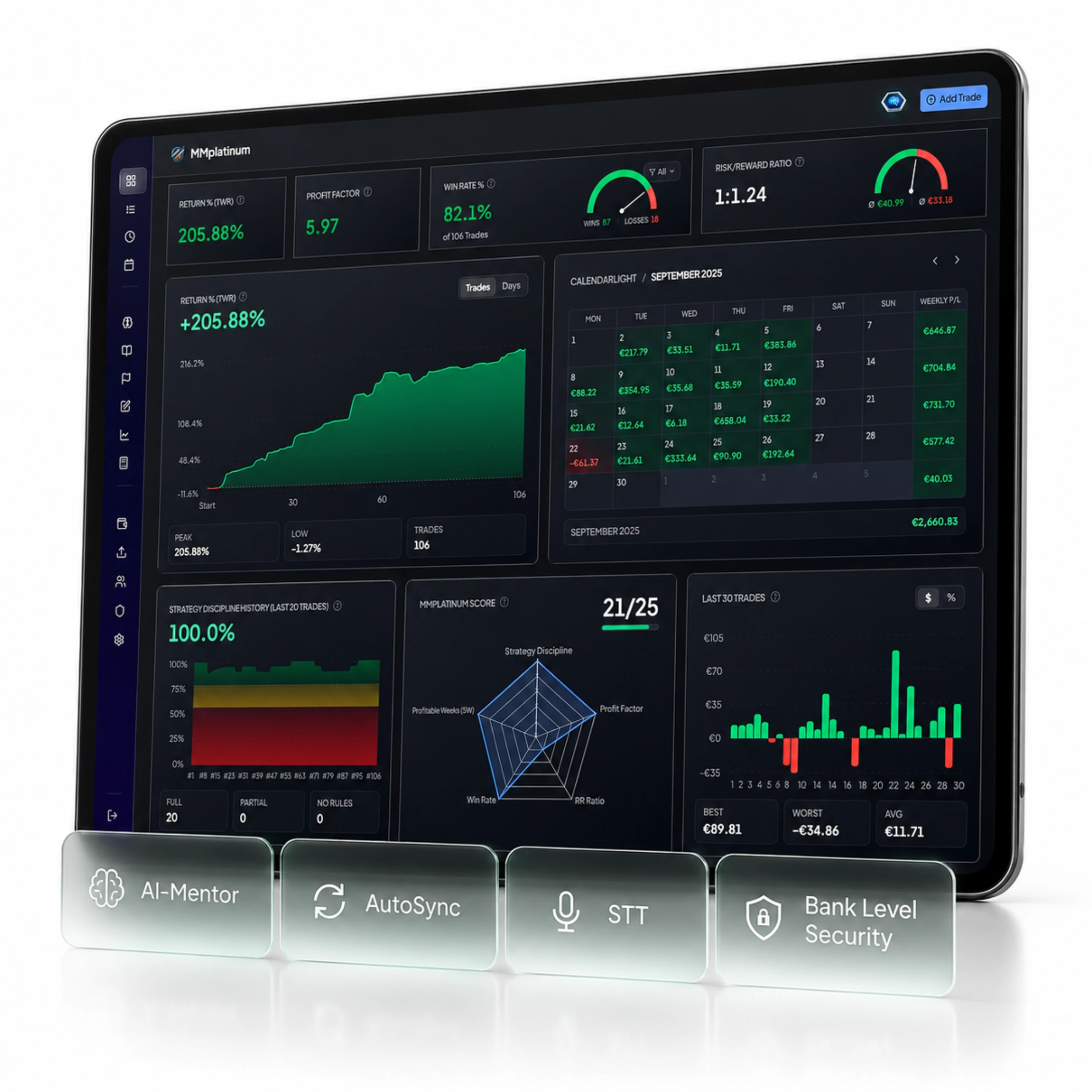
AUTOMATED DATA CAPTURE
Tradovate handles order execution – MMplatinum automatically turns your raw trade data into structured analytics for your risk management.
Every trade from Tradovate is logged with exact entry and exit prices, position size, direction (Long/Short), holding duration, and trading session attribution.
No distorted gross numbers: commissions, fees, and financing costs (swaps) from Tradovate are factored in directly so your equity curve reflects your real account balance.
Your broker provides execution and net P&L — inside the journal you supplement your initial risk (1R), playbook rules, market phases, and screenshots for a rigorous expectancy analysis.
Manage multiple Tradovate accounts side by side in one dashboard: ideal for cleanly separating personal live accounts, prop firm challenges, funded accounts, and demo environments.
SETUP & SYNCHRONISATION
Follow these instructions to sync your Tradovate trades automatically or import existing trade history.
Automatically recognised Tradovate CSV columns in the Smart Import Wizard
MORE THAN JUST A SPREADSHEET
Your trading platform only shows your balance. MMplatinum reveals which setups drive your profits and which habits cost you performance.
See at a glance which weekdays, trading sessions (London, New York, Asia), and instruments deliver your strongest Profit Factor and Expectancy on Tradovate.
Our integrated AI Mentor analyses your actual Tradovate trades, uncovers recurring patterns such as overtrading, premature exits, or revenge trading, and provides objective feedback.
Define your entry and risk criteria as structured checklists. Track your rule compliance after every trading session and verify which setups actually have a positive edge.
Keep daily and maximum drawdowns in check for prop firm rules and validate new strategy ideas in the built-in Backtest Lab before risking capital on your live account.
Win rate, profit factor, expectancy, holding time, volume, and detailed calendar breakdowns.
Connect once – from then on, your past and new Tradovate trades land directly in your dashboard without manual logging.
Test all features including broker import and AI Mentor free for 7 days. Fair pricing from €14 / month afterwards.
READY FOR CLEAR DATA?
Connect Tradovate with your MMplatinum Trading Journal and see in black and white which setups drive your performance.