Impact-Site-Verification: 70274732-2ab4-45ae-805a-4d265fce480b

    Trading Journal for World Trade Forex.
    Every trade analysed with precision.

    Import your World Trade Forex account statements directly into MMplatinum. The Smart Import Wizard recognises the matching template, imports the closed tickets and makes your forex history ready for analysis quickly.
    Excellent on Trustpilot· 96% 5-star reviews
    World Trade Forex
    Smart CSV
    MMplatinum Trading Journal – World Trade Forex
    Platform
    World Trade Forex
    Connection
    Smart CSV Import
    Captured Data
    P&L, Fees, Volume & Time
    Account Types
    Live, Demo & Prop Accounts

    AUTOMATED DATA CAPTURE

    What gets captured from World Trade Forex.
    Clean data without manual entry errors.

    World Trade Forex handles order execution – MMplatinum automatically turns your raw trade data into structured analytics for your risk management.

    01

    Entries, Exits & Session Timestamps

    Every trade from World Trade Forex is logged with exact entry and exit prices, position size, direction (Long/Short), holding duration, and trading session attribution.

    02

    Net P&L incl. Commissions & Swaps

    No distorted gross numbers: commissions, fees, and financing costs (swaps) from World Trade Forex are factored in directly so your equity curve reflects your real account balance.

    03

    Initial Risk, Setup Tags & Notes

    Your broker provides execution and net P&L — inside the journal you supplement your initial risk (1R), playbook rules, market phases, and screenshots for a rigorous expectancy analysis.

    04

    Multi-Account & Prop-Firm Ready

    Manage multiple World Trade Forex accounts side by side in one dashboard: ideal for cleanly separating personal live accounts, prop firm challenges, funded accounts, and demo environments.

    SMART IMPORT WIZARD GUIDE

    How to connect World Trade Forex with MMplatinum.
    In just a few clicks using the ready-made template.

    With the pre-configured World Trade Forex template, you can import your exported trades without manual column mapping.

    1. CSV Export from World Trade Forex:
    Description coming soon.
    2. Import in Smart Import Wizard:
    1. 1Click on "Start Smart Import"
    2. 2Select your Target Account and click on "Continue to the File Upload"
    3. 3Click on "Select File" and upload your World Trade Forex Account Statement as CSV
    4. 4The Wizard recognises the World Trade Forex Statement and automatically imports the Closed Tickets Section
    5. 5Proceed to Preview and check the complete closed trades
    6. 6When everything is valid, click on "Start Import".

    Automatically recognised World Trade Forex CSV columns in the Smart Import Wizard

    Ticket IDOpen TimeInstrumentDirectionAmount BCOpen PriceTake ProfitStop LossTrailing PipsClose TimeClose PriceCommissionSwapRPLCommentsInfo
    Actual product view: The Smart Import Wizard detects the World Trade Forex export format and maps all columns automatically.

    MORE THAN JUST A SPREADSHEET

    What MMplatinum does with your World Trade Forex trades.
    From raw account statements to a data-driven trading system.

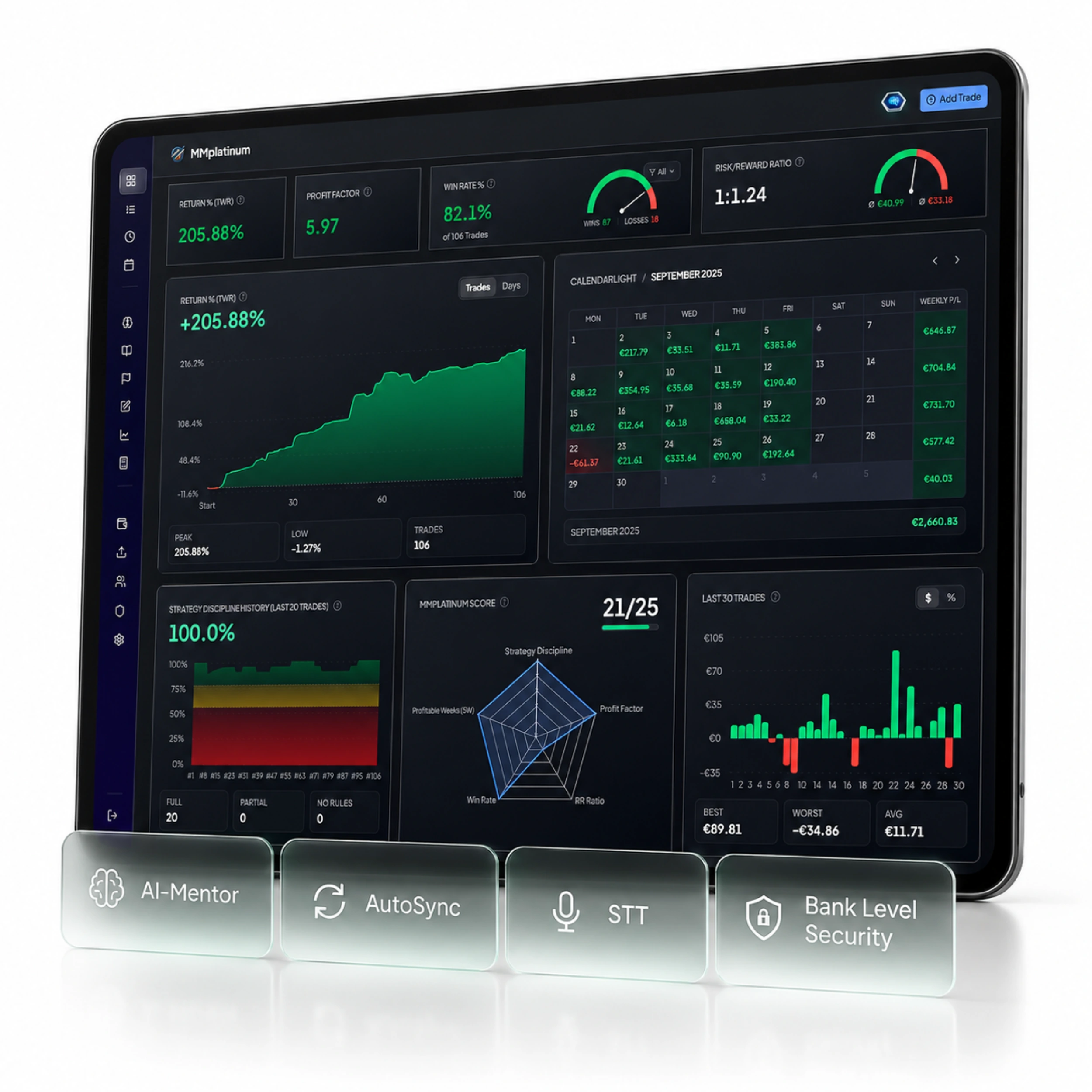
    Your trading platform only shows your balance. MMplatinum reveals which setups drive your profits and which habits cost you performance.

    40+ Metrics & Session Analytics

    See at a glance which weekdays, trading sessions (London, New York, Asia), and instruments deliver your strongest Profit Factor and Expectancy on World Trade Forex.

    AI Mentor with Real Account Context

    Our integrated AI Mentor analyses your actual World Trade Forex trades, uncovers recurring patterns such as overtrading, premature exits, or revenge trading, and provides objective feedback.

    Playbooks & Rule Tracking

    Define your entry and risk criteria as structured checklists. Track your rule compliance after every trading session and verify which setups actually have a positive edge.

    Drawdown Monitoring & Backtest Lab

    Keep daily and maximum drawdowns in check for prop firm rules and validate new strategy ideas in the built-in Backtest Lab before risking capital on your live account.

    1. ANALYTICS DEPTH40+

      Professional Metrics

      Win rate, profit factor, expectancy, holding time, volume, and detailed calendar breakdowns.

    2. TEMPLATE ENGINE30+

      Ready-Made Broker Templates

      No reformatting in Excel required: the Smart Import Wizard recognises the World Trade Forex format immediately.

    3. ONE-TIME PAYMENT, NO SUBSCRIPTION$99

      Lifetime Access Without Monthly Fees

      Pay once and keep full access to the Trading Journal for life, including AutoSync and AI Mentor. You can try the Journal free for 7 days beforehand without payment details.

    Frequently asked questions about the World Trade Forex Trading Journal.
    Everything you need to know.

    Simply export your trade history from World Trade Forex as a CSV or Excel file and upload it in the MMplatinum Smart Import Wizard. Thanks to the pre-configured World Trade Forex template, all columns are mapped automatically.

    Yes. Whether you trade a personal live account, a demo account, or a prop firm evaluation/funded account (e.g., FTMO, FundedNext, Apex, Topstep, Bulenox, or The5ers) on World Trade Forex, all accounts can be tracked and analysed individually or combined.

    Yes. Whenever World Trade Forex provides commission, fee, and swap data via AutoSync or in the export file, MMplatinum records them accurately so you can analyse both Gross P&L and Net P&L.

    Yes, MMplatinum features full multi-account support. You can create and manage multiple World Trade Forex accounts alongside other brokers, filter them individually, or view your combined portfolio performance.

    Absolutely. Using the Smart Import Wizard, you can import your past trades from World Trade Forex so you immediately start with a populated dashboard and seamless equity curve.

    Yes, 100%. With file import you only upload your exported trade history. No broker password or direct account credentials are required.

    READY FOR CLEAR DATA?

    Your World Trade Forex trades deserve clear analytics.
    Connect with MMplatinum in just a few minutes.

    Connect World Trade Forex with your MMplatinum Trading Journal and see in black and white which setups drive your performance.