01
Entries, Exits & Session Timestamps
Every trade from cTrader is logged with exact entry and exit prices, position size, direction (Long/Short), holding duration, and trading session attribution.
Experience seamless journaling for your cTrader platform. MMplatinum connects directly to your account to synchronise forex and CFD trades fully automatically. Perfect for modern traders who value speed and precise statistical evaluation of their performance.
 cTrader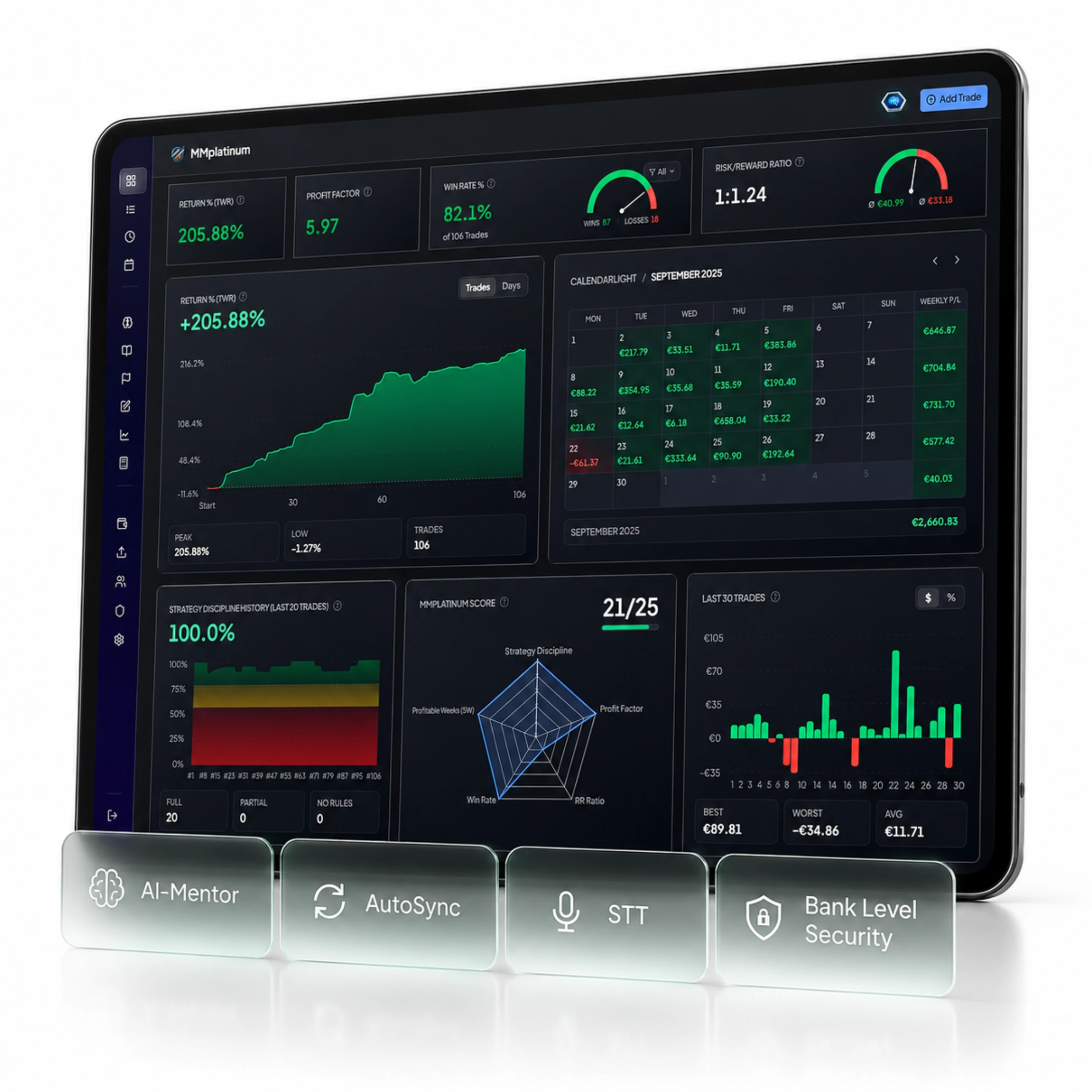
AUTOMATED DATA CAPTURE
cTrader handles order execution – MMplatinum automatically turns your raw trade data into structured analytics for your risk management.
Every trade from cTrader is logged with exact entry and exit prices, position size, direction (Long/Short), holding duration, and trading session attribution.
No distorted gross numbers: commissions, fees, and financing costs (swaps) from cTrader are factored in directly so your equity curve reflects your real account balance.
Your broker provides execution and net P&L — inside the journal you supplement your initial risk (1R), playbook rules, market phases, and screenshots for a rigorous expectancy analysis.
Manage multiple cTrader accounts side by side in one dashboard: ideal for cleanly separating personal live accounts, prop firm challenges, funded accounts, and demo environments.
SETUP & SYNCHRONISATION
Follow these instructions to sync your cTrader trades automatically or import existing trade history.
Automatically recognised cTrader CSV columns in the Smart Import Wizard
MORE THAN JUST A SPREADSHEET
Your trading platform only shows your balance. MMplatinum reveals which setups drive your profits and which habits cost you performance.
See at a glance which weekdays, trading sessions (London, New York, Asia), and instruments deliver your strongest Profit Factor and Expectancy on cTrader.
Our integrated AI Mentor analyses your actual cTrader trades, uncovers recurring patterns such as overtrading, premature exits, or revenge trading, and provides objective feedback.
Define your entry and risk criteria as structured checklists. Track your rule compliance after every trading session and verify which setups actually have a positive edge.
Keep daily and maximum drawdowns in check for prop firm rules and validate new strategy ideas in the built-in Backtest Lab before risking capital on your live account.
Win rate, profit factor, expectancy, holding time, volume, and detailed calendar breakdowns.
Connect once – from then on, your past and new cTrader trades land directly in your dashboard without manual logging.
Test all features including broker import and AI Mentor free for 7 days. Fair pricing from €14 / month afterwards.
READY FOR CLEAR DATA?
Connect cTrader with your MMplatinum Trading Journal and see in black and white which setups drive your performance.