Arguably the best Trading Journal for TradingView Paper Trading
Paper trading is the path to real trading – but only if you actually analyse your results. MMplatinum imports your TradingView paper trades via CSV and helps you identify strengths and weaknesses in your setup.
96% 5-star reviews
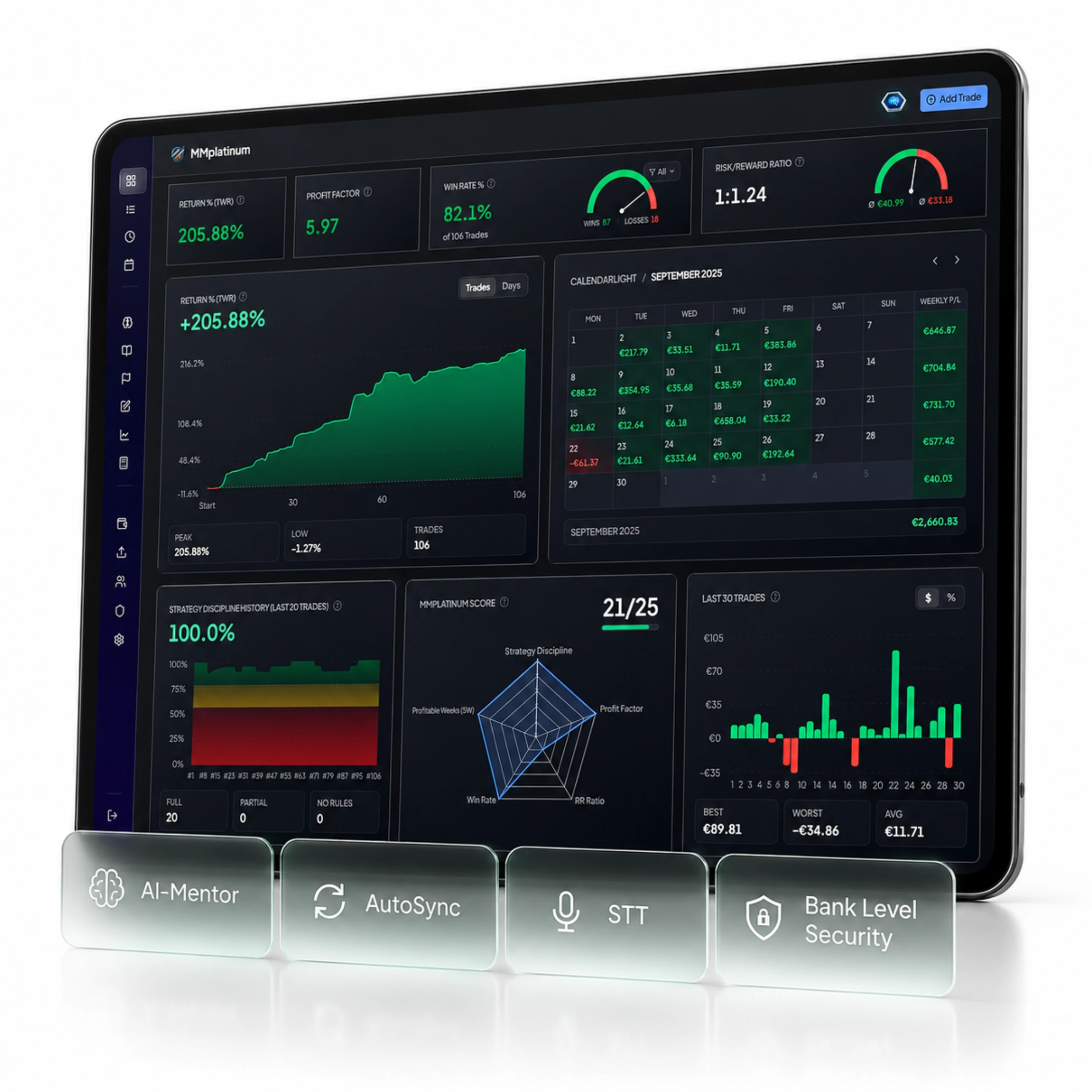
Turn your trades into a clear system.
TradingView Paper Trading handles execution. MMplatinum shows which setups work, where rules break, and what to improve next.
Import without mapping friction
The Smart Import Wizard turns historical trades into clean analysis data.
Patterns instead of gut feeling
See which setups, sessions, and decisions shape your performance.
AI mentor with real context
Get feedback based on rules, playbooks, metrics, and notes.
How to import your TradingView Paper Trading trades in seconds
A few steps to a complete TradingView Paper Trading journal.
- 1Open the "Paper Trading" tab in TradingView and go to the "Order History" tab.
- 2Ensure that all available columns are selected.
- 3Click on the "Paper Trading" drop-down menu and select "Export Data".
- 4Select "Order History" and click "Export".
- 1Click "Start Smart Import".
- 2Select your Target Account and click "Continue to the File Upload".
- 3Click "Select File" and upload your Broker Export File.
- 4Scroll down and click "Proceed to Column Mapping".
- 5Select the Broker Template "TradingView Paper Trading", scroll down and click "Continue to Preview".
- 6When everything is valid, click "Start Import" and let the Wizard do his thing.
Smart Import Wizard in Action (Example: NinjaTrader)
Correct CSV Headers
Those who analyse, improve.
Most traders lose because they don't know their mistakes. MMplatinum changes that.
Finally know what works
Win rate, profit factor, expectancy, max drawdown – and many more metrics show you at a glance where you're leaving money on the table.
Your broker is supported
With 20+ ready-made import templates, the Smart Import Wizard recognises your CSV and maps all columns automatically – in seconds.
Your personal trading coach
After every trade, your AI mentor analyses your decisions and gives you concrete, data-driven suggestions for improvement.
Import TradingView Paper Trading trades
and improve your trading.
Import your TradingView Paper Trading trades into MMplatinum in just a few minutes and get started with AI-powered analysis.